 MemoryMatching.com
Hard Word Search Game
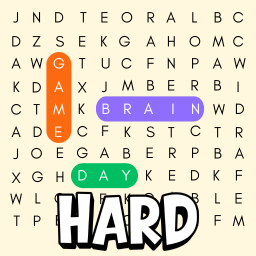
The toughest challenge on MemoryMatching.com - a free hard word search online with an 11×11 grid, words hidden in all 8 directions including diagonals, and only partial word clues in the list. Optional 4-minute timer, or hide it for an untimed game. No sign-up, no download. Want something easier? Try Medium or Easy Word Search.
History
No completed games yet for this mode.
| Date | Time | Words found | Solve time |
|---|
What Is Hard Word Search?
The ultimate word search challenge
Hard Word Search is the most challenging difficulty level on MemoryMatching.com. It combines three layers of difficulty: an 11×11 letter grid, words hidden in all 8 directions (including four diagonal directions), and a unique partial reveal system - the word list only shows the first letter, last letter, and roughly 30% of the middle letters of each word. You have to deduce what the full word is before you can find it.
Words are drawn from a pool of longer English words - typically 6 to 9 letters. Each game selects 10 at random, so no two rounds are the same. The optional 4-minute timer raises the stakes, but you can hide it at any time for an untimed, meditation-style session. The game is free, requires no sign-up or download, and works on any screen size.
How to Play Hard Word Search
Strategy for experienced players
- Decode the partial words. The word list shows only the first letter, last letter, and ~30% of the middle letters as hints. Think about what common English words match the revealed letters before you start searching.
- Search all 8 directions. Unlike easier modes, words in Hard mode can run horizontally, vertically, and diagonally in all four diagonal directions. Words can also be reversed. Be systematic - scan row by row, then check diagonals.
- Anchor on revealed letters. The partial hints give you known letters at fixed positions. Use those as anchors: find the first letter in the grid, then check all 8 directions for the rest of the pattern.
- Select the word. Click and drag on desktop, or swipe on mobile. The selection automatically snaps to the nearest of 8 directions.
- When found, the full word is revealed in the list and the cells light up. Find all 10 to win.
Expert tip: Start with the longest words - they are harder to place in the grid, so there are fewer possible positions for them. Eliminating long words first makes the shorter ones easier to find.
Other Word Search Levels
Try a different difficulty
- Easy Word Search - 9×9 grid, 2 directions, 10 short words, 2-minute timer. Perfect for beginners.
- Medium Word Search - 10×10 grid, 4 directions, longer words, 3-minute timer.
- Numbers Word Search - find 12 hidden four-digit numbers in a 10×10 digit grid.
All levels are free with no sign-up. See the Word Search home page for the full overview.